
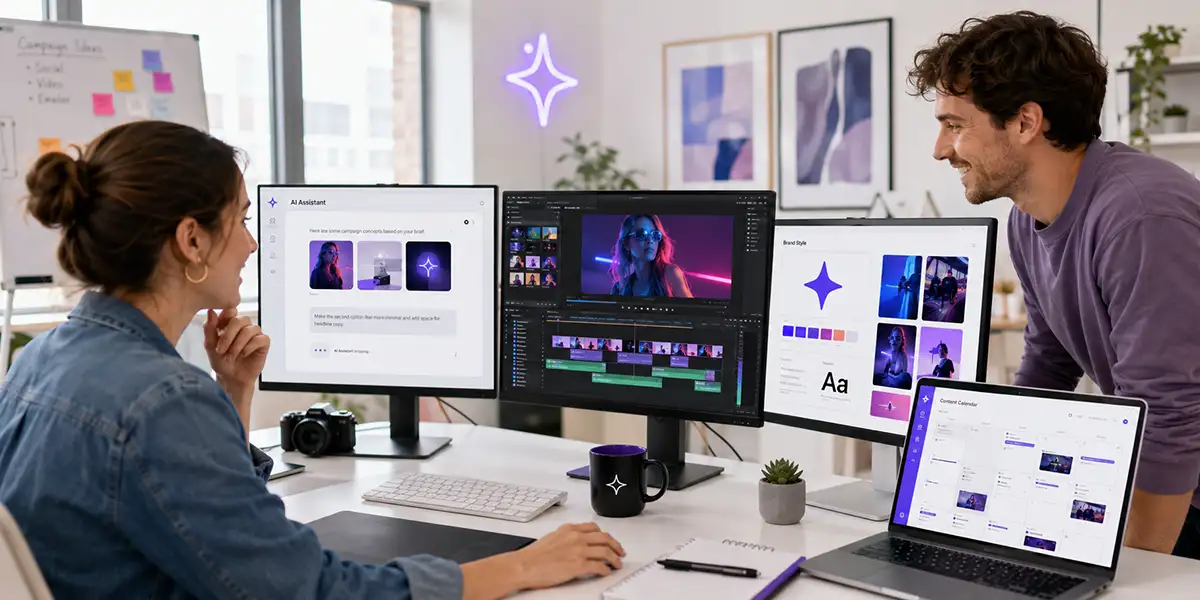
How Creative AI Agents Are Changing Design, Video, and Content Workflows
Creative work is moving into a new phase.
For the last few years, most AI tools worked like single-purpose assistants. You asked one tool to write copy, another to create an image, another to edit video, another to remove a background, and another to generate captions.
That was helpful, but it also created a new problem: creators had to jump between too many tools.
Now the next shift is beginning. Instead of using AI only as a single-task tool, creators and brands are starting to use creative AI agents as workflow assistants that can help manage multiple steps across design, video, branding, and content production.
This is a major change for creative teams, solo creators, marketers, agencies, and small businesses. The question is no longer just, “Can AI create something?” The better question is, “Can AI help manage the creative workflow from idea to finished asset?”
Why Creative AI Agents Are Getting Attention Now
Adobe recently introduced Firefly AI Assistant, a conversational creative agent designed to help users describe what they want and then execute multi-step creative workflows across Adobe tools.
Adobe says Firefly AI Assistant can work across apps such as Photoshop, Firefly, Premiere, Express, Lightroom, Illustrator, and more. That matters because it points toward a future where creative software becomes less about manually clicking through every step and more about directing outcomes through natural language.
This does not mean creative professionals suddenly become unnecessary. In fact, the opposite may be true. As AI agents handle more production steps, human creative direction becomes more important.
Someone still needs to decide the message, the brand direction, the audience, the emotional tone, the visual style, and the final quality standard.
The creative role is shifting from only making assets to directing systems.
What Are Creative AI Agents?
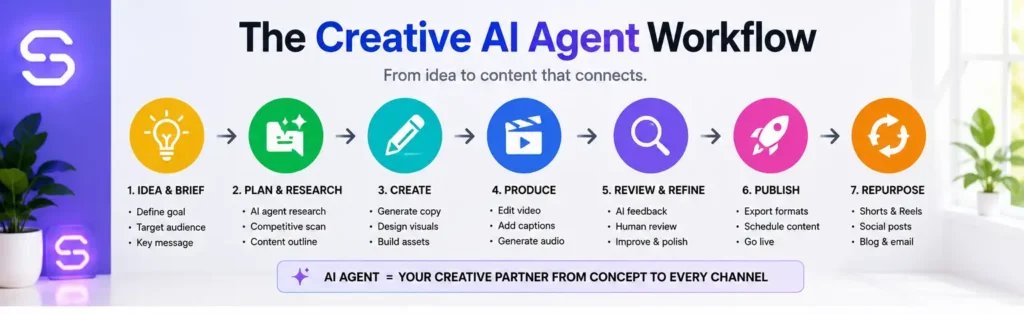
A creative AI agent is an AI-powered assistant that can help complete a sequence of creative tasks, not just one isolated action.
For example, instead of asking AI to simply generate an image, a creative AI agent could help with a larger workflow:
- Understand the project brief
- Suggest visual directions
- Create design variations
- Resize assets for platforms
- Apply brand colors
- Prepare video edits
- Create captions and thumbnails
- Export content for publishing
- Repurpose the content for social media
That is the real difference. The agent is not just helping you create one output. It is helping you move through the process.
This is why the phrase “agentic creativity” is becoming important. It describes a creative process where AI can take more initiative inside a defined workflow while the human remains responsible for taste, judgment, strategy, and final approval.
Why This Matters for Creators and Brands
Most creators and small businesses do not struggle because they lack ideas. They struggle because the production process is heavy.
One campaign may require:
- A blog article
- A video script
- A featured image
- A thumbnail
- A YouTube description
- Short-form clips
- Social captions
- Email copy
- Product CTAs
- Landing page graphics
That is a lot of work, especially for a solo creator or small team.
Creative AI agents could make this easier by helping connect the steps. Instead of starting from scratch every time, creators can build repeatable workflows that turn one idea into multiple assets.
That is where the opportunity becomes practical. This is not only about making cool AI art. It is about making content production more organized, consistent, and scalable.
From Tool User to Creative Director
As AI tools become more capable, the creator’s role changes.
The old workflow often looked like this:
- Open a tool
- Manually perform a task
- Export the asset
- Open another tool
- Repeat the process
The new workflow may look more like this:
- Define the outcome
- Give the AI agent a clear brief
- Review options
- Refine the direction
- Approve the best version
- Repurpose across channels
This makes creative direction more valuable. The person who understands the brand, audience, story, and business goal will still have a major advantage.
AI may help produce more versions faster, but someone still needs to know which version is right.
How Creative AI Agents Could Change Design Workflows
Design work is often full of repetitive tasks: resizing graphics, creating variations, applying brand colors, adjusting layouts, testing different headlines, exporting formats, and adapting content for different platforms.
Creative AI agents could help with many of these steps.
For example, a designer might ask an AI assistant to create three versions of a social post, adapt the best version for LinkedIn and Instagram, apply brand colors, add a product CTA, and prepare export sizes.
That does not remove the designer’s role. It removes some of the production friction around the designer’s role.
The result could be faster iteration, more consistent brand assets, and more time spent on creative judgment instead of repetitive formatting.
How Creative AI Agents Could Change Video Workflows
Video production is another area where creative agents could make a big difference.
A video workflow can include research, scripting, storyboarding, recording, editing, captions, thumbnails, short clips, descriptions, and social promotion. That is a lot of moving parts.
A creative AI agent could help connect those parts by turning one video idea into a complete production plan.
For example, you could start with a topic like “how to use AI for better content planning.” From there, the workflow might generate:
- A YouTube outline
- A short-form script
- A thumbnail concept
- B-roll ideas
- A title and description
- A blog article angle
- Three social posts
- A newsletter summary
This is why AI video workflows are becoming so important. The value is not only faster editing. The value is connecting video to the rest of the marketing system.
What This Means for Branding
Brand consistency is one of the biggest challenges with AI content.
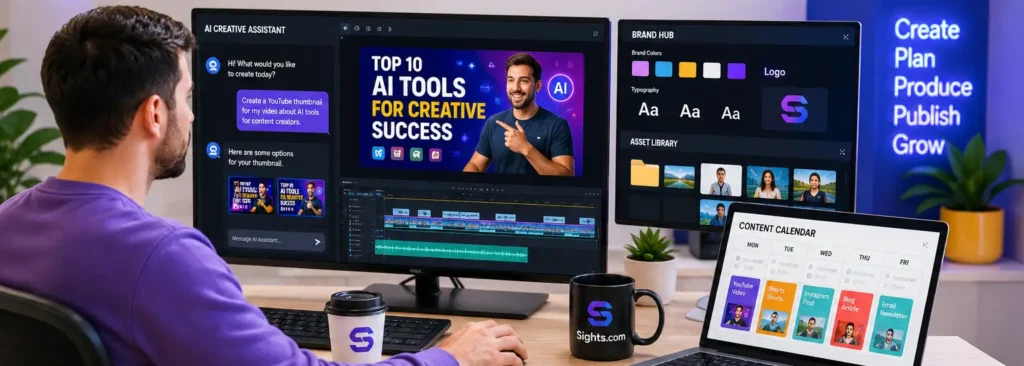
AI can generate many options quickly, but those options can easily feel random if there is no clear brand system. This is why brand guidelines will become more important, not less important.
Creators and brands will need clear rules for:
- Voice and tone
- Color palette
- Typography
- Image style
- Video format
- CTA language
- Audience positioning
- Visual examples
- What not to create
The better the brand system, the better the AI agent can support it.
That means the future belongs to creators who can combine AI speed with human-led brand direction.
The Risk: More Generic Content
There is a risk with creative AI agents: they could make it even easier to create generic content at scale.
If everyone uses similar prompts, similar templates, and similar workflows, content may start to feel the same. This is already happening in some areas of AI-generated marketing content.
The solution is not to avoid AI. The solution is to use AI with stronger creative direction.
Creators should ask:
- What is my point of view?
- What does my audience actually need?
- What should this content make people feel?
- What makes this brand recognizable?
- What should never be automated?
Creative AI agents can help with production. They should not replace taste, trust, or strategy.
Useful Tools for a Creative AI Workflow
You do not need every AI tool available. You need a focused workflow that helps you move from idea to finished asset.
For visual exploration, content concepts, thumbnails, mockups, and image-based creative direction, OpenArt.ai can help creators quickly explore visual directions before producing videos, ads, or social content.
For creators who want to turn content into structured lessons, workshops, or online products, LearnWorlds can support course creation, learning products, and digital education workflows.
For creators managing accounts, affiliate dashboards, client platforms, and creative tools while traveling or using shared networks, NordVPN can add an extra layer of privacy and safer browsing.
What Creators Should Do Now
The rise of creative AI agents does not mean you need to rebuild your entire workflow overnight.
Start small.
- Create a simple brand style guide.
- Save your best prompts.
- Build repeatable content formats.
- Document your video workflow.
- Turn one idea into multiple assets.
- Review every AI output before publishing.
- Keep your human point of view visible.
The creators who benefit most from AI will not be the ones who automate everything. They will be the ones who build better creative systems.
Final Thoughts
Creative AI agents are not just another AI trend. They represent a bigger shift in how creative work may be organized.
Instead of using separate tools for every task, creators may increasingly use conversational agents to move across design, video, content, and publishing workflows.
That could make content production faster, but it will also make creative direction more important.
The future of creative work is not just about pressing a button. It is about knowing what to ask for, what to keep, what to improve, and what to reject.
AI can help produce the work. Humans still need to guide the meaning.

About the Author
Curtis Randall is an award-winning creative executive and future systems thinker helping people and businesses understand the future of work, technology, digital ownership, and creativity. Through CurtisRandall.com, and Sights.com, Curtis explores the systems shaping how people work, create, own, and build value in a rapidly changing world.
Connect with Curtis: LinkedIn · YouTube · Instagram · X · TikTok · Facebook · Threads
Want to Build a Smarter AI Video Content System?
The AI Video Marketing Kit for Creators gives you prompts, scripts, planners, affiliate video templates, course promo workflows, and repurposing tools to turn your ideas into useful video content faster.
Affiliate Disclosure: Some links in this article are affiliate links. If you purchase through them, Sights.com may earn a commission at no additional cost to you. We only recommend tools and resources that fit the topic and may be useful for creators, marketers, and small businesses.